Get past
App Review.
Get found
after.
ASOwl audits your listing before you submit, generates everything App Store Connect asks for (copy, screenshots, in-app purchases, locales), publishes it only when you click, then submits for review and shows what each change did to downloads. One Mac app for your whole App Store presence.
63 → 86
FoodCal: Calorie Tracker
✓ Available on the App Store
Score it before you ship.
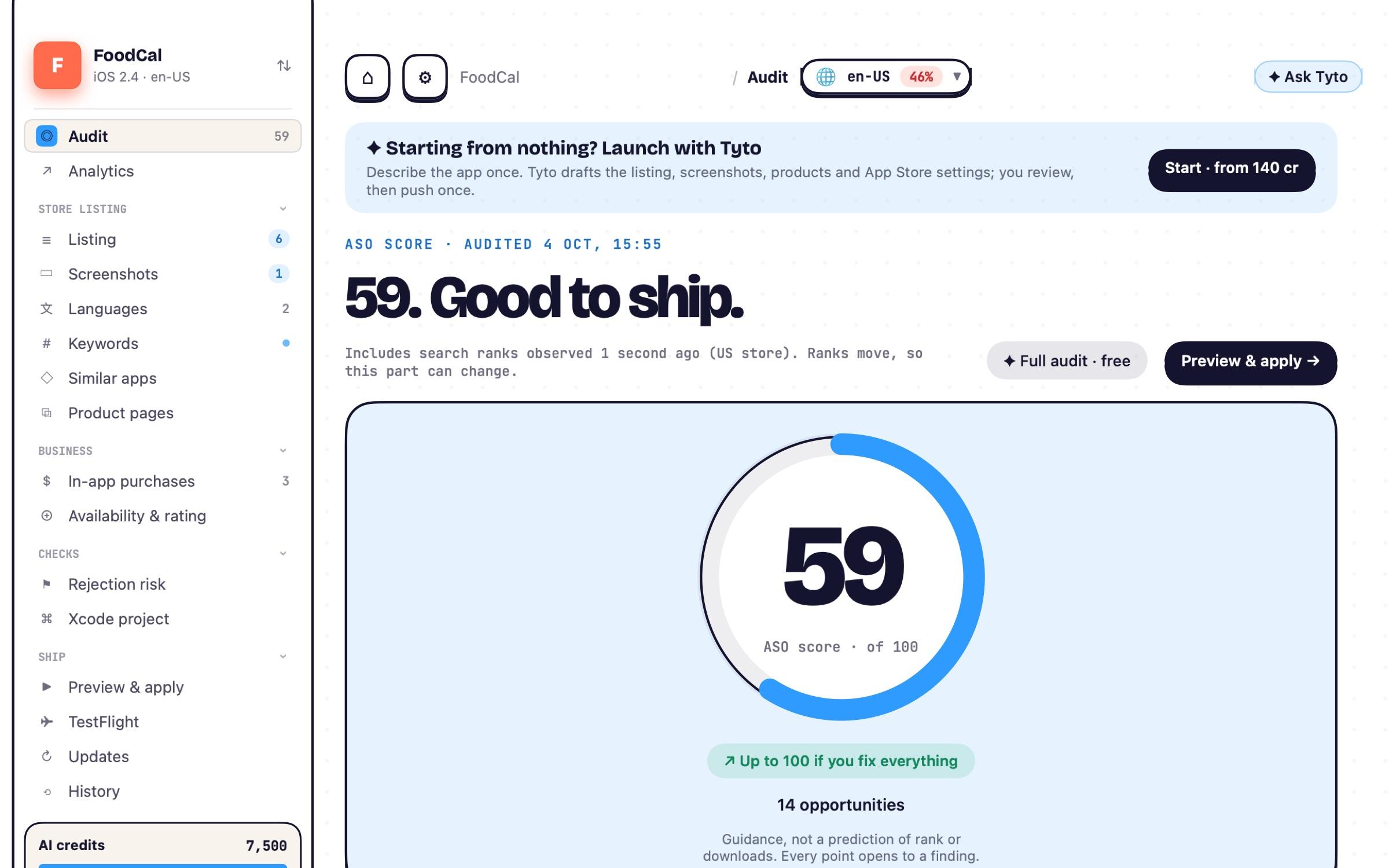
One audit reads your whole listing the way App Review and search do, then ranks every finding by what it costs you.
- ✓A 0–100 score with the reason behind every point
- ✓Blocking issues first, opportunities after
- ✓Rejection risk, plus a gentle check that you stand out from similar apps (Guideline 4.3)
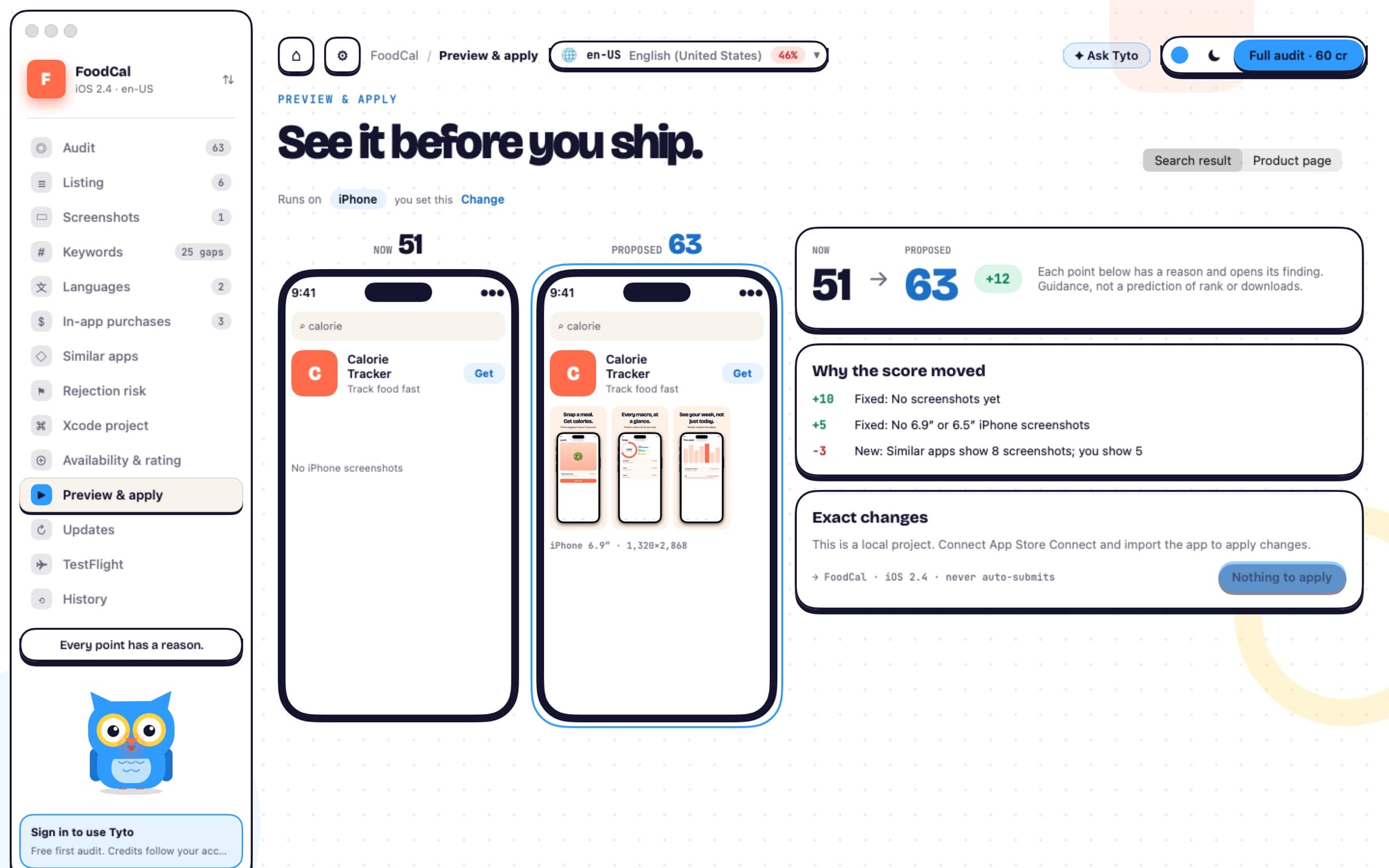
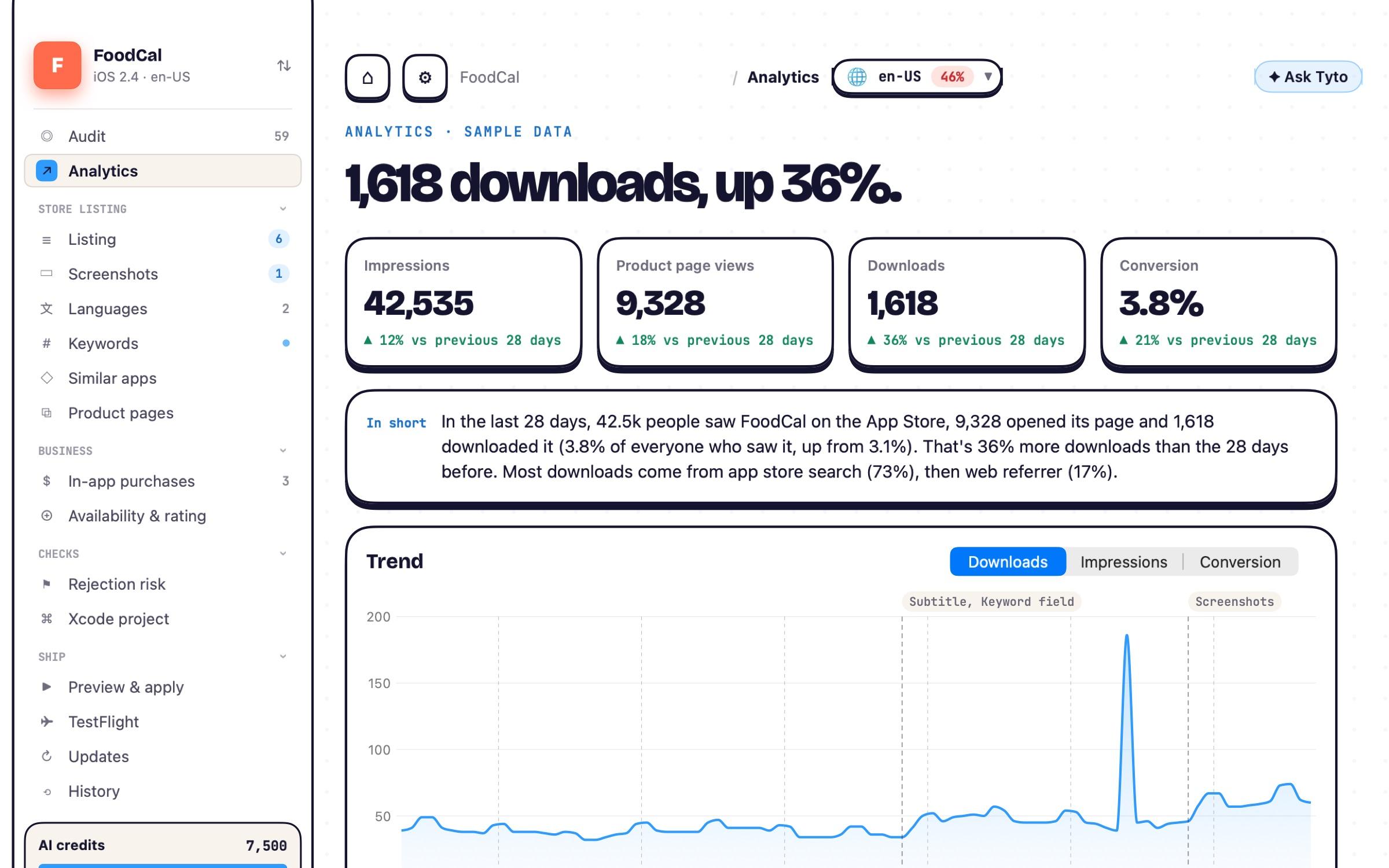
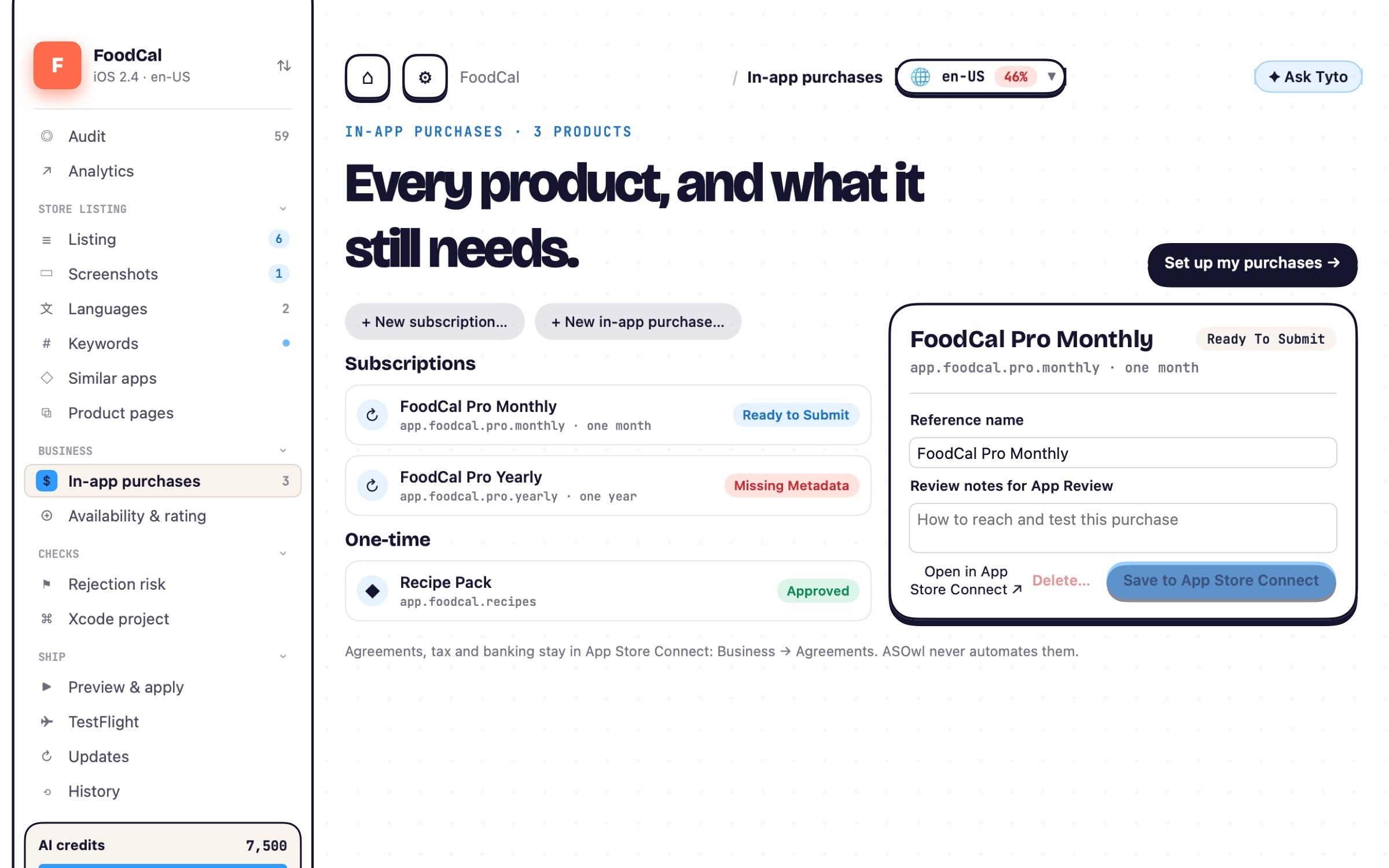
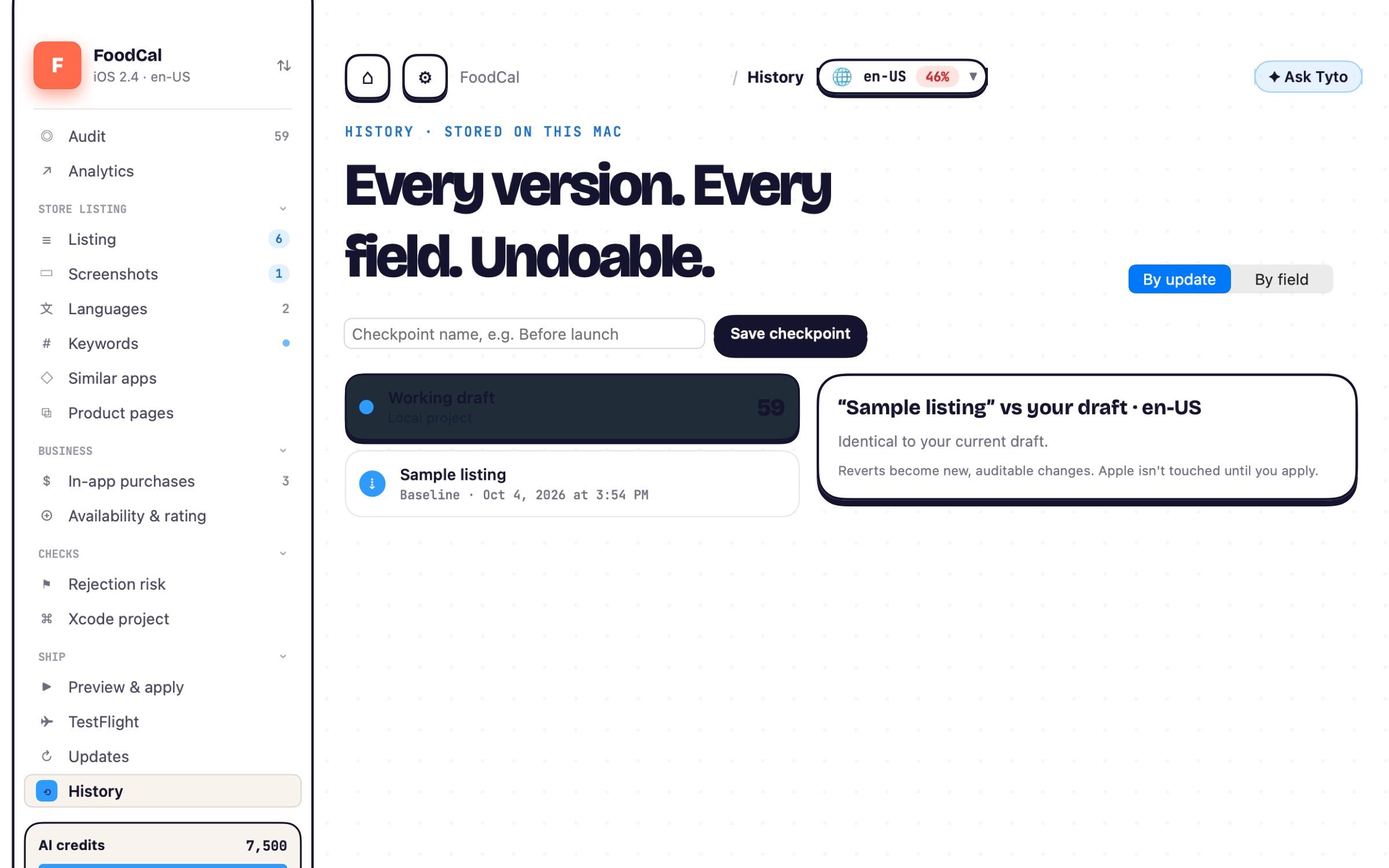
Draft, apply, submit. Without leaving ASOwl.
Your App Store presence and your submission live in one Mac app. Work on the next version as a draft, push exactly what you approve to App Store Connect, submit for review and watch it through to release.
Start the next version
Plan 2.5 while 2.4 is live. Everything is a local draft on your Mac until you choose to send it.
Everything Apple asks for
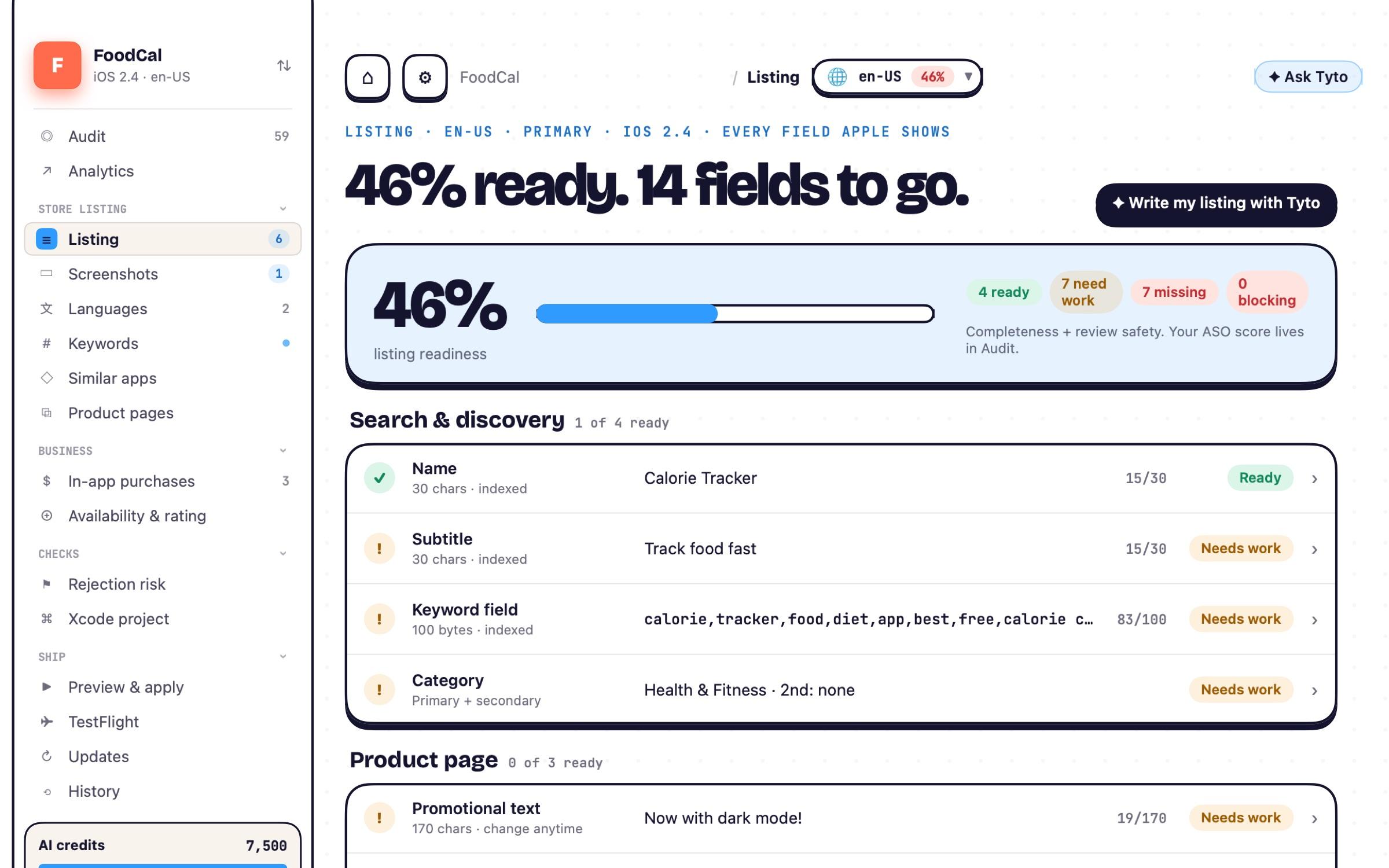
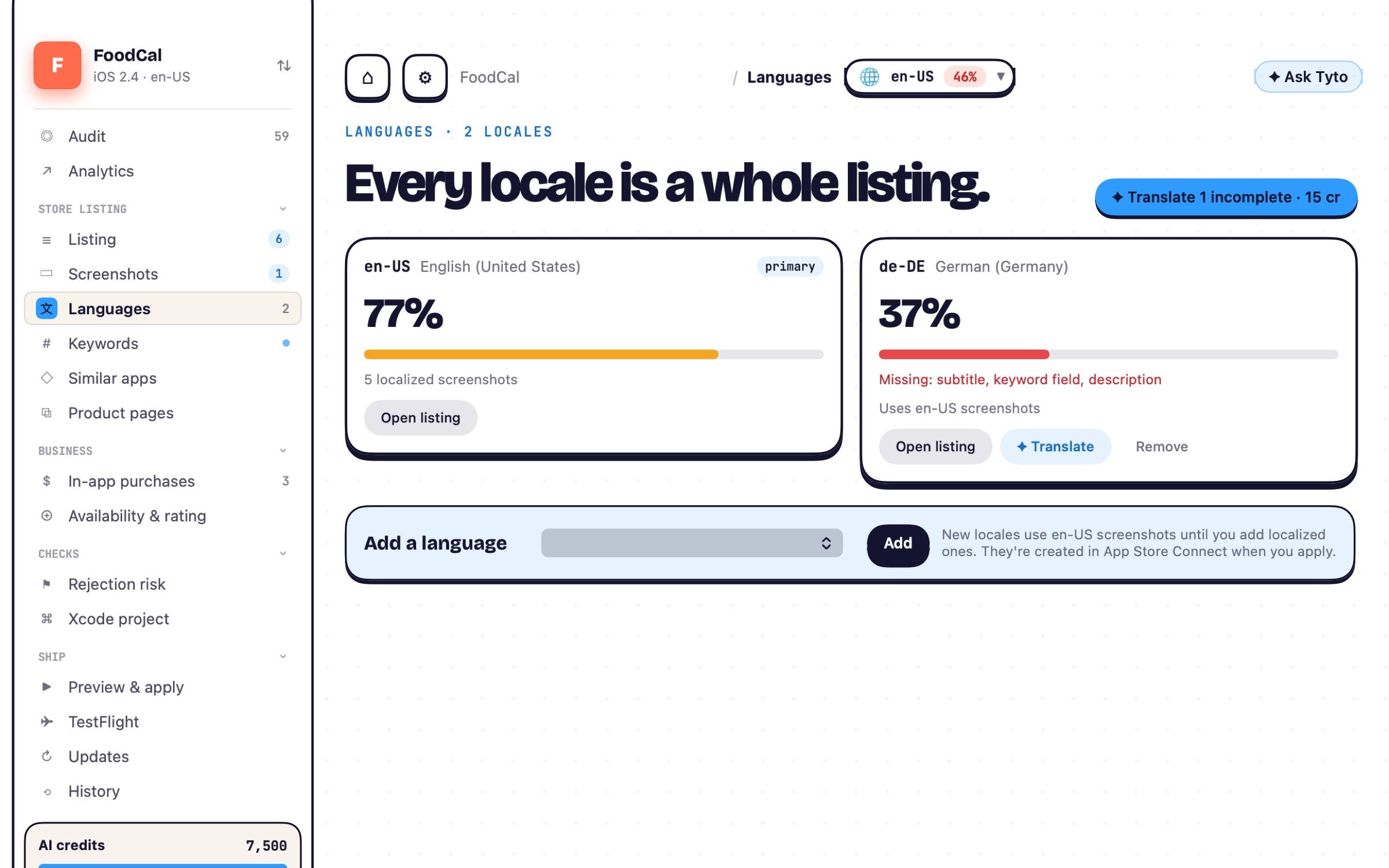
Listing and languages, screenshots, in-app purchases and subscriptions, availability, age rating, review notes and the build.
Straight to App Store Connect
See the exact changes, tick what goes, apply. ASOwl reads every field back to confirm Apple has it.
Send it for review
One confirmation that says what you're submitting and where. Never automatic.
Follow it to release
Review status, rejections and the full history of every version, with one-click revert to a draft.
Apple keeps a few things on its own website: creating the app record, the App Privacy label and agreements. ASOwl links you straight to each one.
Plan, then apply. For your App Store listing.
Edits are local drafts. ASOwl shows the exact changes and where each one goes, applies only what you tick, in the right order, then reads Apple back to prove it landed. Think git diff and a deploy, not a web form.
Submitting for App Review is a separate step with its own confirmation. ASOwl never submits on its own.
No mockups. This is ASOwl running FoodCal.
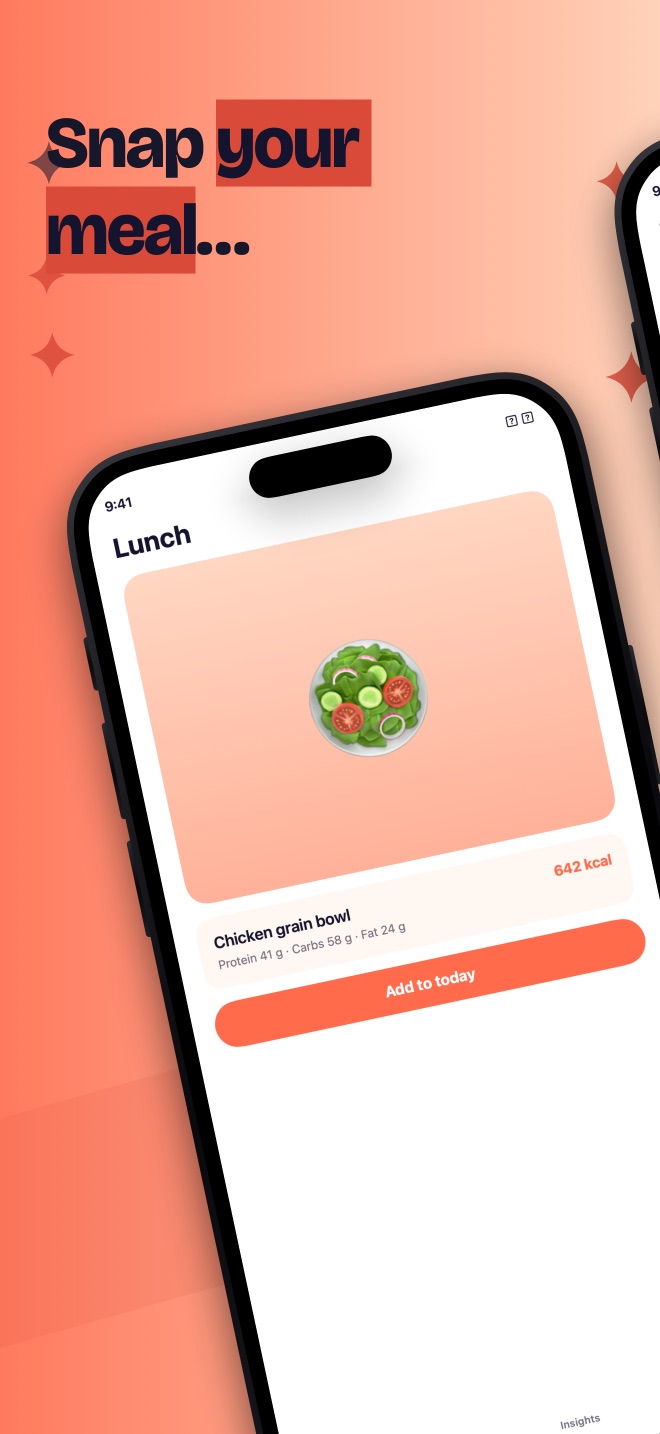
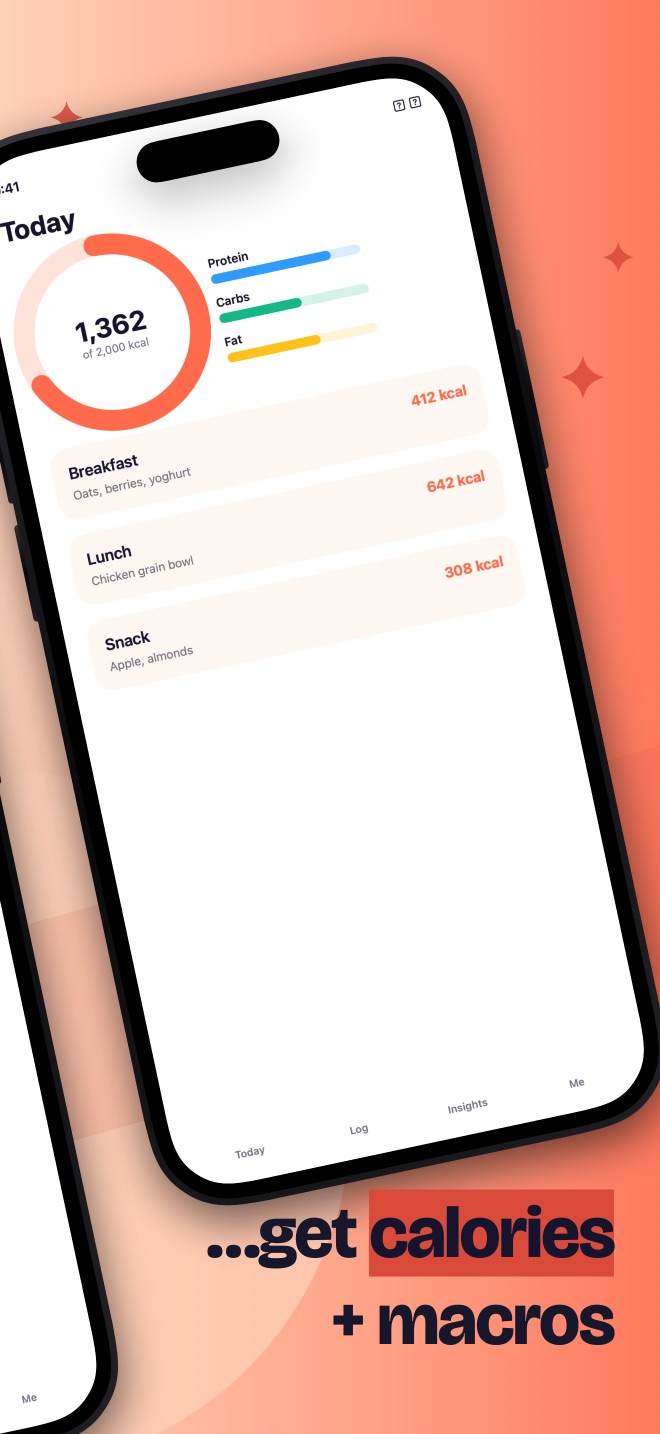
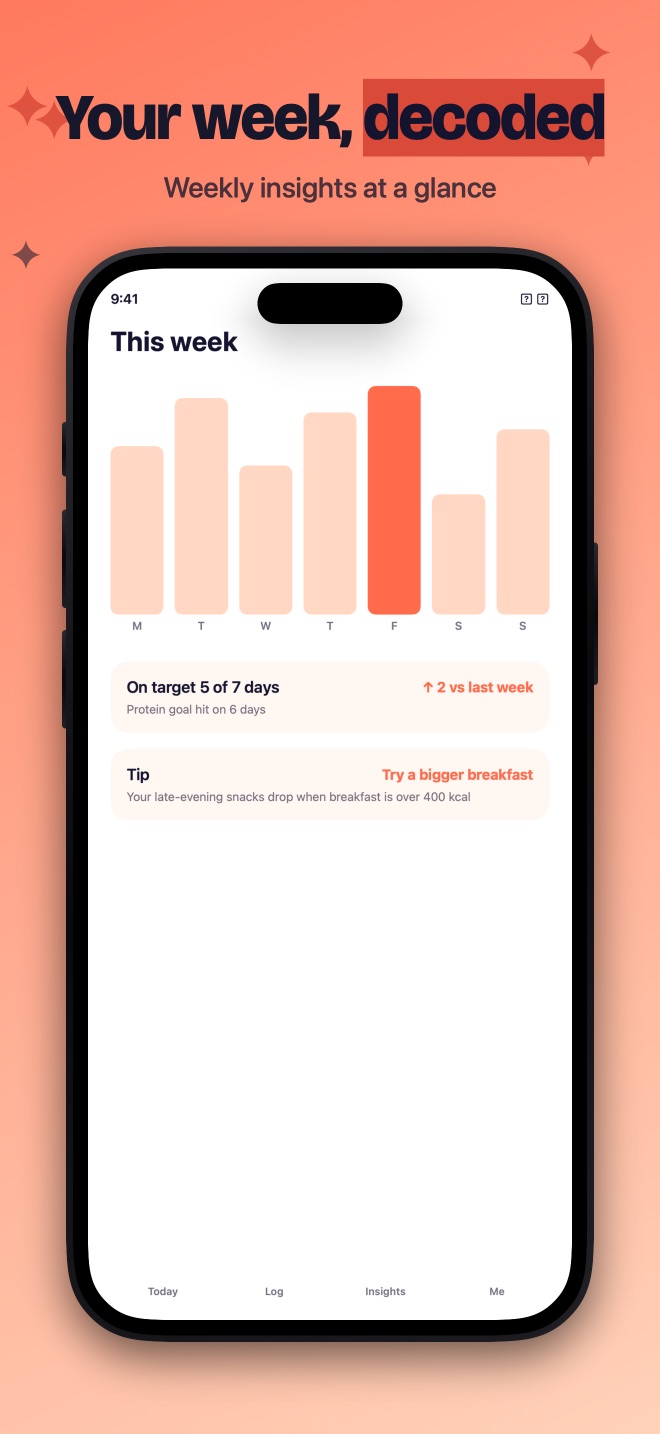
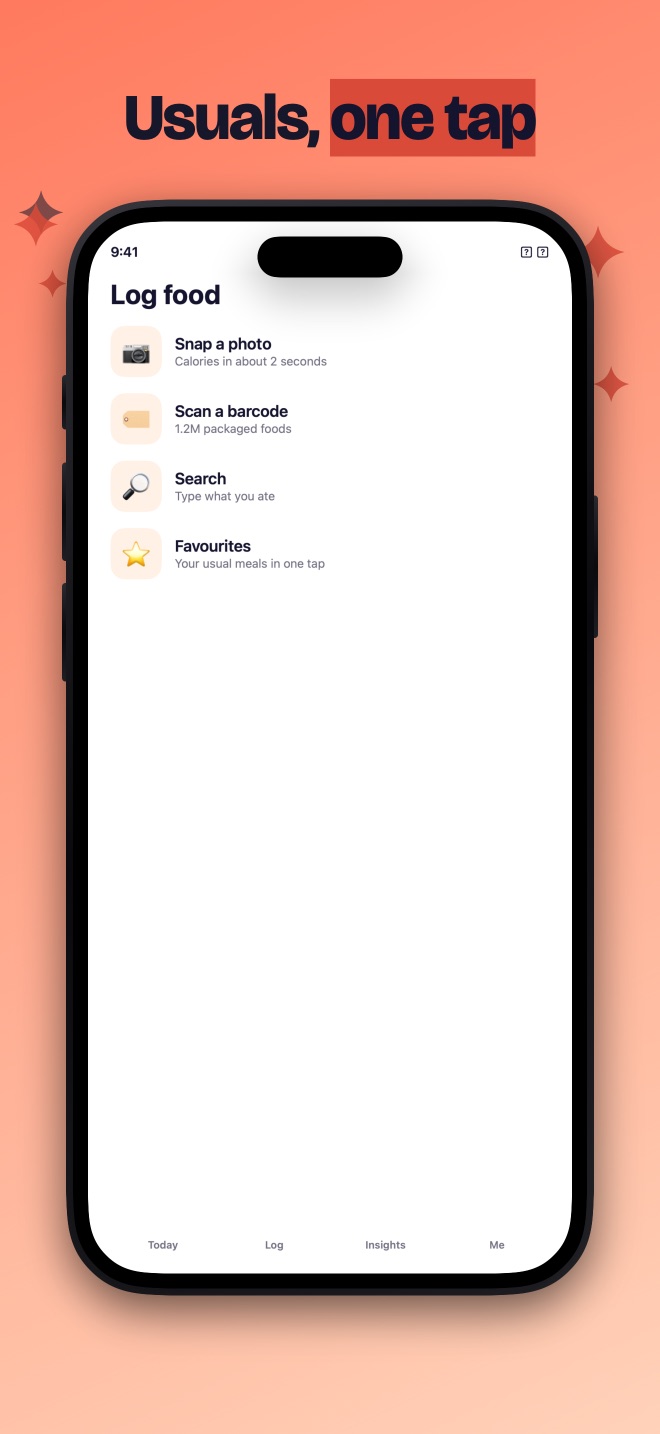
One window instead of twelve browser tabs.
The parts of App Store Connect you touch for every release, in a native Mac app that remembers what you did last time.
Creating the app record, the App Privacy label and agreements stay on Apple's website; ASOwl links you straight to each. Everything ASOwl can't do → · Changelog →
From .p8 key to a better listing in about ten minutes.
No Apple account yet? Start a pre-publish project and audit before your app even exists in App Store Connect.
Connect
Paste an App Store Connect Team key. It goes straight into your Keychain.
Import
Pick an app. ASOwl pulls every field, locale, screenshot and purchase.
Score
Your first full audit is free. Get a score, a reason for every point, and a fix list.
Fix with Tyto
Take a suggestion, write your own, or argue. Readiness climbs as you go.
Apply & track
Approve the diff, apply, submit when you're ready. Then watch review status and what the change did to downloads.
Your apps stay on your Mac.
ASOwl is a native Mac app, not a dashboard. This is everything that ever leaves it, and when. The app shows you the same page before you even sign in.
Your first audit's on us.
Connect, import, and get a score without a card. Then pick Indie or Studio, depending on how much you ship. Rule-based checks are always free.
Indie
2,500 credits / moMost popular- ✓Monthly AI credits (no rollover)
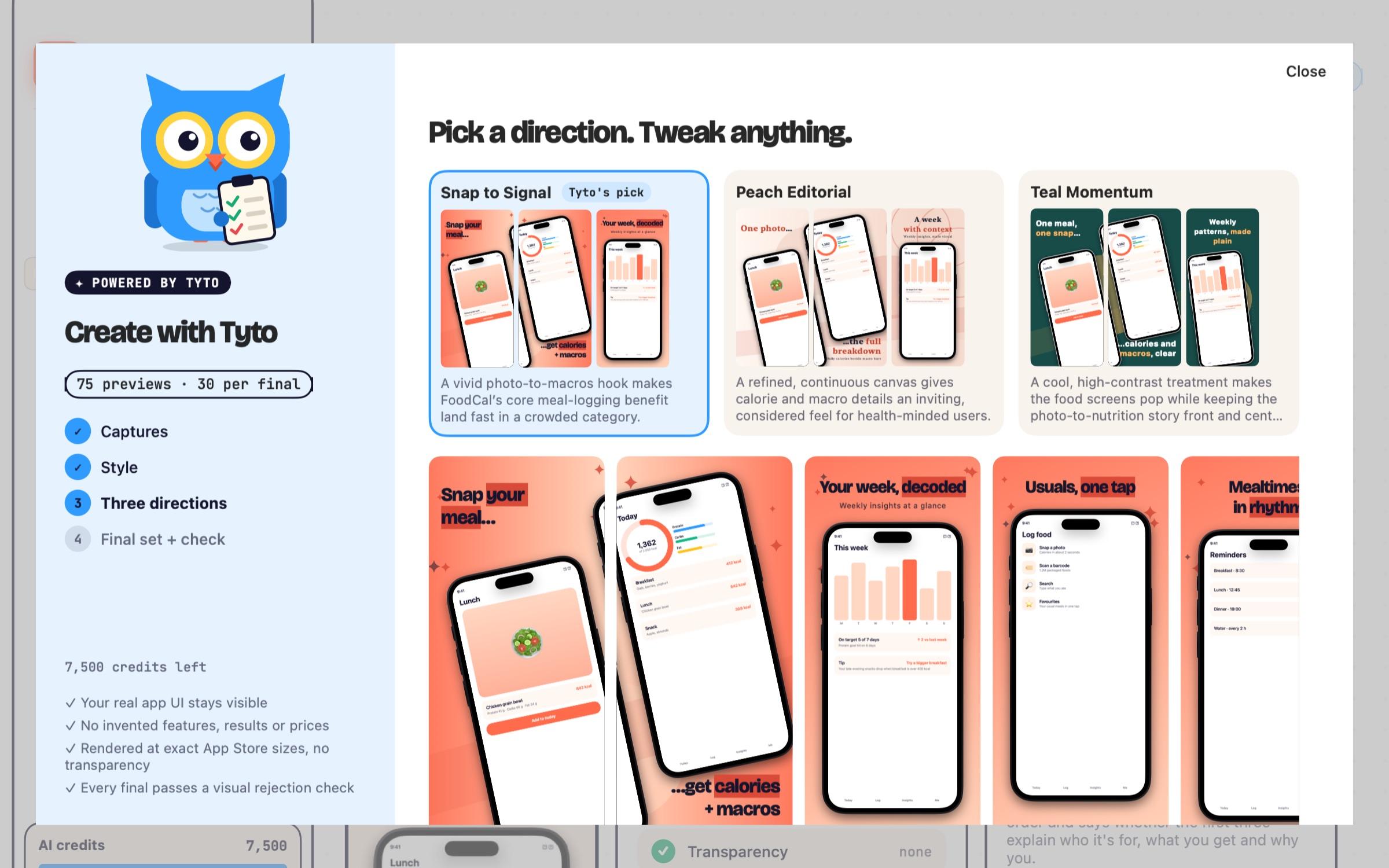
- ✓Fill, Create, Plan and Launch with Tyto
- ✓Unlimited rule checks, link checks and previews
- ✓Apply to App Store Connect with a diff you approve
- ✓History and one-click reverts, all on your Mac
Studio
7,500 credits / moBest per credit- ✓Monthly AI credits (no rollover)
- ✓Fill, Create, Plan and Launch with Tyto
- ✓Unlimited rule checks, link checks and previews
- ✓Apply to App Store Connect with a diff you approve
- ✓History and one-click reverts, all on your Mac
Cancel anytime. After cancelling ASOwl goes read-only, and your data stays put.
What credits buy
Only AI inference uses credits, weighted by what it really costs. Every AI action shows its price before it runs.
| Full audit (first one free) | 60 |
| Guideline 4.3 scan | 40 |
| Screenshot analysis | 25 |
| Translation · per locale | 15 |
| Text check / re-score | 5 |
| Fill with Tyto | 100 |
| Create with Tyto | 75 · 30 |
| Plan with Tyto | 50 |
| Header & search results with Tyto | 50 |
| Launch with Tyto (autopilot) | 140–350 |
| Sort similar apps with Tyto | 10 |
| Summarise an Xcode project | 10 |
$4.99 · 1,000 credits · 0.5¢
$9.99 · 2,000 credits · 0.5¢
One-time. Never expire, and survive cancelling. Needs an active subscription.Rule-based checks
Character counts, URL health, missing fields and storefront previews never cost a credit.Prices in USD, before local tax. Mac App Store prices are set by Apple and may differ.
Ready to fly.
Download direct
The .dmg straight from us. Notarized by Apple, tells you when there's an update, and more of your subscription goes to the people who make it.
Download ASOwlMac App Store
Billing and updates go through Apple. A subscription bought there is managed in your Apple ID.
Get it on the Mac App StoreHoo, what?
Does ASOwl submit my app for me?+
Only when you click. ASOwl applies the changes you approve, reads them back to confirm, and can submit your version for review with one confirmation that says exactly what's going where. It never submits on its own. In-app purchases work the same way.
What is an AI credit?+
A unit for AI work, weighted by what it really costs us: a text check is 5, a translation draft 15 per locale, a screenshot analysis 25, a 4.3 similarity scan 40 and a full audit 60. Fill with Tyto is 100 per session, Create with Tyto 75 for style previews then 30 per screenshot, Plan with Tyto 50, and Launch with Tyto 350 for everything at once (140 if you leave products and screenshots for later). Indie includes 2,500 a month, Studio 7,500, and every AI action shows its cost before it runs.
Does it work with fastlane and my existing setup?+
Yes. ASOwl can import fastlane metadata folders, read your Xcode project (Info.plist, PrivacyInfo.xcprivacy, StoreKit configuration) and export your listing as JSON, CSV, Markdown or a fastlane folder. It uses the official App Store Connect API with your own key, so nothing else changes.
Is ASOwl just an AI wrapper?+
No. The audit, limits, byte counts, link checks, screenshot sizes, rejection-risk rules and the diff before every write are plain code that runs on your Mac, free. Tyto (the AI) is optional and only writes drafts you review: copy, translations, screenshots, plans.
What's free?+
Your first full audit, with no card. After that, all rule-based checks stay free forever: character and byte counts, URL health, missing fields, age rating and privacy label cross-checks, and storefront previews.
Do credits roll over?+
Monthly credits reset each month. Top-ups ($4.99 for 1,000, or $9.99 for 2,000) never expire and survive cancelling, though you need an active subscription to buy and spend them.
What happens if I cancel?+
ASOwl becomes read-only. Your apps, history and any top-up credits stay on your Mac, and everything comes back the moment you subscribe again.
Does my data leave my Mac?+
Your apps, keys, drafts and history stay on your Mac. When you run an AI action, only what it needs is sent, for that one request, and it is never used for training. Changes go from your Mac straight to App Store Connect, only when you apply them.
What access does it need?+
An App Store Connect API key with the App Manager role. ASOwl uses it to read your listing, apply approved changes, check name availability and watch review status.
Direct download or Mac App Store?+
Same app either way. Direct purchases are billed by Stripe and managed from the app; subscriptions bought in the Mac App Store are billed and managed by Apple.
Get your listing right before Apple sees it.
Your first full audit is free. Rule checks are free forever.